
You Don’t Have to Be a Cybersecurity Expert to Protect Yourself
Information security sounds like something reserved for IT departments, cybersecurity professionals, and guys sitting in dark rooms surrounded by six monitors.
It isn’t.
Whether you work from home, run a business, use online banking, shop on Amazon, scroll Facebook, or simply own a smartphone, information security affects you every single day.
The good news?
You don’t need to become a hacker to protect yourself.
You just need to develop some better habits.
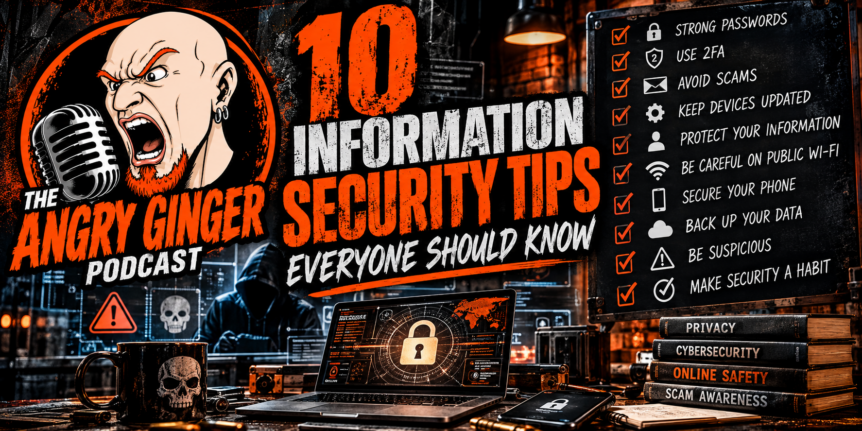
Here are 10 information security tips everyone should know.
1. Stop Using the Same Password Everywhere
Let’s start with one of the biggest mistakes people make.
You have a password you like.
Maybe it’s easy to remember.
So you use it for Facebook.
Then Gmail.
Then your bank.
Then Amazon.
Then that random website you signed up for three years ago.
Don’t do this.
If one website suffers a data breach and your password gets exposed, attackers may try that same username and password combination on other websites.
Suddenly, one compromised account can become five compromised accounts.
What should you do?
Use unique passwords for important accounts, especially:
- Banking
- Credit cards
- Social media
- Cloud storage
- Work accounts
- Password managers
And if remembering 30 different passwords sounds impossible, that’s because it is.
That’s where a password manager comes in.
2. Turn On Two-Factor Authentication
If a website offers two-factor authentication (2FA), turn it on.
A password is one layer of security.
Two-factor authentication adds another.
For example, even if someone manages to steal your password, they may still need a code from your phone or an authentication app to access your account.
It’s not perfect.
Nothing is.
But it’s considerably better than relying on a password alone.
For your most important accounts, I would consider 2FA mandatory rather than optional.
3. Don’t Click First and Think Later
This one sounds ridiculously simple.
And yet people still get hacked because they click things without thinking.
You get an email:
“Your account has been suspended!”
You panic.
You click the link.
You’re taken to a website that looks exactly like your bank.
You enter your username and password.
Congratulations.
You just handed your credentials to a criminal.
Phishing attacks work because they create urgency and emotion.
They want you scared.
They want you angry.
They want you curious.
They want you to act before you think.
Slow down.
Before clicking a link, ask:
Was I expecting this?
Who actually sent it?
Where does the link really go?
Can I verify this another way?
If your bank sends you an email telling you there’s a problem with your account, open your banking app yourself.
Don’t click the link in the email.
4. Keep Your Devices Updated
I know.
Those update notifications are annoying.
You finally get comfortable and your phone tells you it needs an update.
Your computer wants to restart.
Your apps need updates.
It’s tempting to keep clicking “Remind Me Later.”
Don’t make that a permanent lifestyle choice.
Software updates frequently contain security fixes.
When a vulnerability becomes publicly known, attackers can attempt to exploit systems that haven’t been patched.
Keeping your operating system, browser, applications, phones, routers, and other connected devices updated is one of the easiest things you can do to improve your security.
Update your damn stuff.
It’s boring.
It’s also important.
5. Be Careful What You Share Online
This ties directly into the digital footprint we talked about in my previous post.
Think about everything you’ve posted publicly.
Your birthday.
Your hometown.
Your workplace.
Your kids’ names.
Your pets.
Your address.
Your vacation plans.
Your favorite sports team.
Your mother’s maiden name.
Now think about how many security questions you’ve answered over the years.
See the problem?
Information that seems completely harmless can sometimes be combined with other information to create a surprisingly detailed profile of you.
You don’t have to disappear from social media.
Just remember:
Not everything needs to be public.
6. Don’t Trust Public Wi-Fi Automatically
Free Wi-Fi sounds great.
You’re sitting at a coffee shop, airport, hotel, or restaurant and see:
FREE PUBLIC WI-FI
Awesome.
But don’t assume that every network you see is legitimate.
Attackers can create networks with names designed to look legitimate.
And public networks can introduce additional security risks.
If you’re handling sensitive information, consider using your cellular connection or a trusted VPN rather than blindly connecting to whatever network has the strongest signal.
And absolutely avoid doing something highly sensitive on a questionable network just because it’s free.
Free Wi-Fi isn’t worth getting your identity stolen.
7. Protect Your Phone
Your smartphone isn’t just a phone anymore.
It’s your:
- Camera
- Wallet
- GPS
- Email account
- Banking device
- Password manager
- Social media account
- Contact list
- Personal photo library
- Authentication device
In other words, your phone contains a huge portion of your life.
So protect it.
Use a strong passcode.
Enable biometric authentication where appropriate.
Keep it updated.
Don’t install suspicious applications.
Review app permissions occasionally.
And enable the device’s tracking and remote-wipe capabilities.
If you lose your phone, you want to be able to lock it down before somebody else gets into it.
8. Back Up Your Important Information
Imagine losing your phone tomorrow.
Or your computer.
Or your hard drive.
Or getting hit by ransomware.
What would you actually lose?
Family photos?
Important documents?
Tax records?
Business files?
Years of memories?
If the answer is “pretty much everything,” you have a backup problem.
A good backup strategy can make the difference between:
“Holy shit, I lost everything.”
and
“Well, that sucks. Good thing I have a backup.”
Keep important files backed up somewhere separate from the original device.
And occasionally test your backups.
A backup you can’t restore isn’t much of a backup.
9. Be Suspicious of Unexpected Requests for Money or Information
This is becoming increasingly important.
Someone sends you a message claiming to be:
- Your boss
- Your bank
- A family member
- A friend
- Microsoft
- Amazon
- The IRS
- A delivery company
And they need something right now.
Money.
Gift cards.
A verification code.
Your password.
Your Social Security number.
Your credit card information.
Stop.
Take a breath.
Verify the request through another method.
And remember:
Urgency is one of a scammer’s favorite weapons.
If somebody legitimately needs something from you, taking five minutes to verify it isn’t going to destroy the world.
10. Security Is a Habit, Not a Product
This might be the most important point of all.
There is no magic application you can install that suddenly makes you completely secure.
There isn’t a single piece of software that can protect you from every scam.
There isn’t a password that’s impossible to steal.
And there isn’t a company that can guarantee you’ll never experience a breach.
Information security is about layers and habits.
Strong passwords.
MFA.
Updates.
Backups.
Awareness.
Privacy.
Common sense.
Verification.
Each one adds another layer.
And when one layer fails, hopefully the others are still standing.
The Bottom Line
You don’t need to become a cybersecurity professional.
You don’t need to understand every technical detail behind an attack.
You don’t need to spend thousands of dollars protecting your home network.
Start with the basics.
Use unique passwords.
Turn on MFA.
Keep your devices updated.
Think before clicking.
Back up your important data.
Be careful what you share.
Question unexpected requests.
And most importantly:
Slow down.
A lot of successful cyberattacks depend on getting you to react emotionally before you have time to think.
The best security tool you have isn’t an expensive piece of software.
It’s your brain.
Use it.
Final Thought From The Angry Ginger
Cybersecurity doesn’t have to be boring.
And it definitely doesn’t have to be something only “computer people” worry about.
We’re all connected now.
Our money is online.
Our relationships are online.
Our work is online.
Our memories are online.
Our entire damn lives are increasingly connected to the internet.
So maybe it’s time we start treating our information like we actually give a shit about it.
Because once your information is out there, you don’t always get to take it back.
Stay safe. Stay skeptical. And for the love of God, stop using “Password123” for everything.